Free AI Posture App for
Mac, Windows & Linux
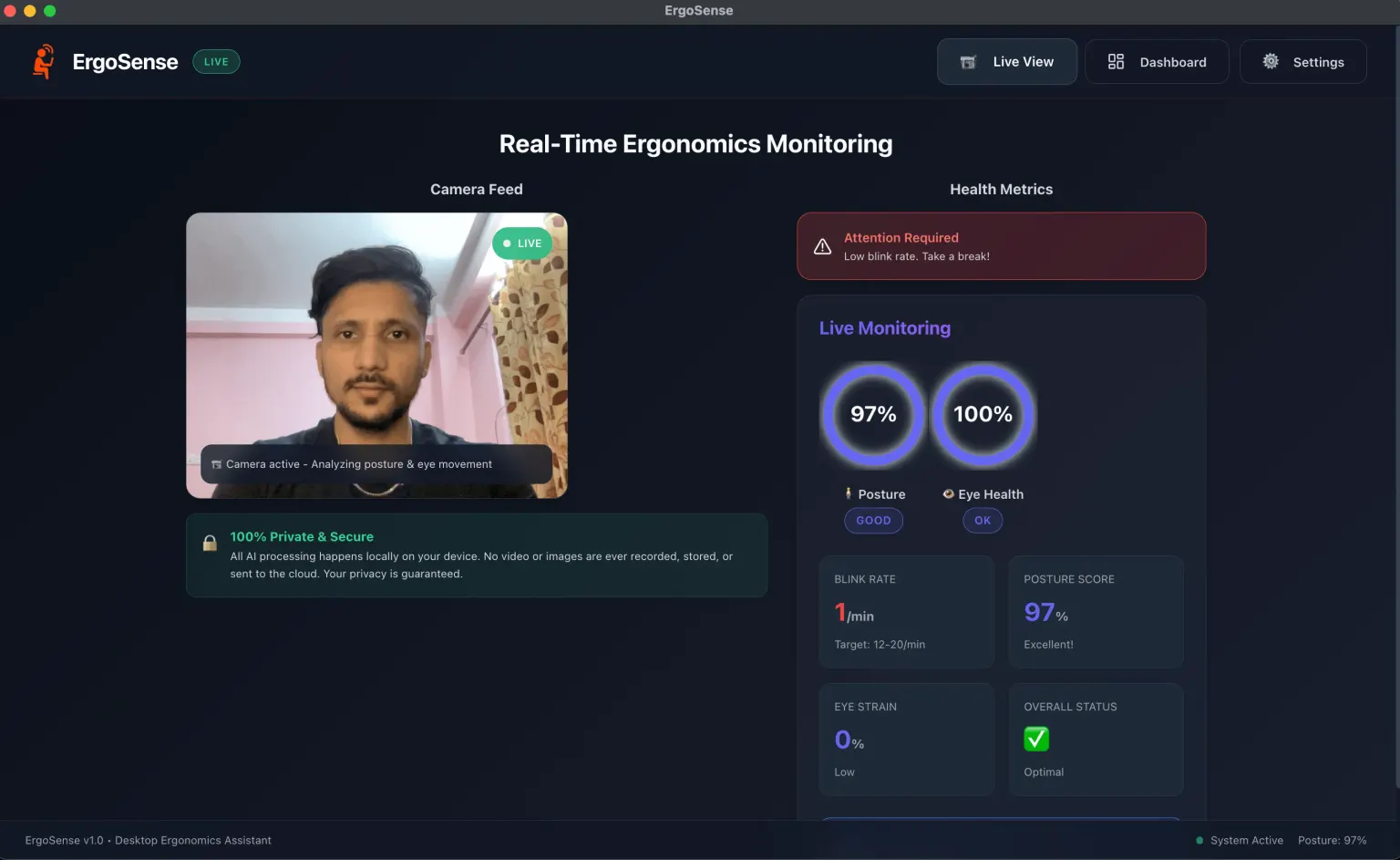
ErgoSense watches your posture and blink rate through your webcam and nudges you when you slouch. Every frame is analysed on your own machine and discarded — nothing is uploaded, recorded, or stored.
v2.2.4 · macOS, Windows & Linux · No account, no subscription, no telemetry on your health data
Eight hours a day at a desk is quietly costing you something
Nobody decides to slouch. It happens while you are busy doing something else, which is why willpower and a better chair are not enough on their own.
What it costs
Tech neck creeps up on you
Prolonged sitting and screen time produce forward head posture, chronic back pain, and Computer Vision Syndrome — usually before you notice any of it.
Focus makes it worse
The deeper you concentrate, the less you blink and the further you lean in. The habit is invisible from the inside, which is exactly why it persists.
Your eyes pay first
A blink rate that drops below roughly 12 per minute leaves you with dry eyes, blurred vision, and headaches by mid-afternoon.
The obvious fix has a catch
Most tools that could watch for this send video to a server. Fixing your posture should not mean accepting a camera pointed at you all day by someone else.
What changes with ErgoSense
- Less back and neck painCorrecting sustained slouching, not just posture in the moment
- Fewer headaches and dry eyesBlink-rate tracking plus 20-20-20 break reminders
- Longer useful focusPhysical comfort is what lets a work block run to its end
- Habits that outlast the appRepeated, well-timed nudges are how behaviour actually changes
- Proof it is workingA daily score and weekly trend, so improvement is visible
- Nothing leaves your machineFrames are analysed locally and discarded; no cloud, no uploads
Each row links to the article that cites the underlying research.
It runs in the tray and only speaks up when it matters
No dashboard to check in on, no streak to maintain. ErgoSense watches, scores the day, and stays quiet until your posture has actually been off for a while.
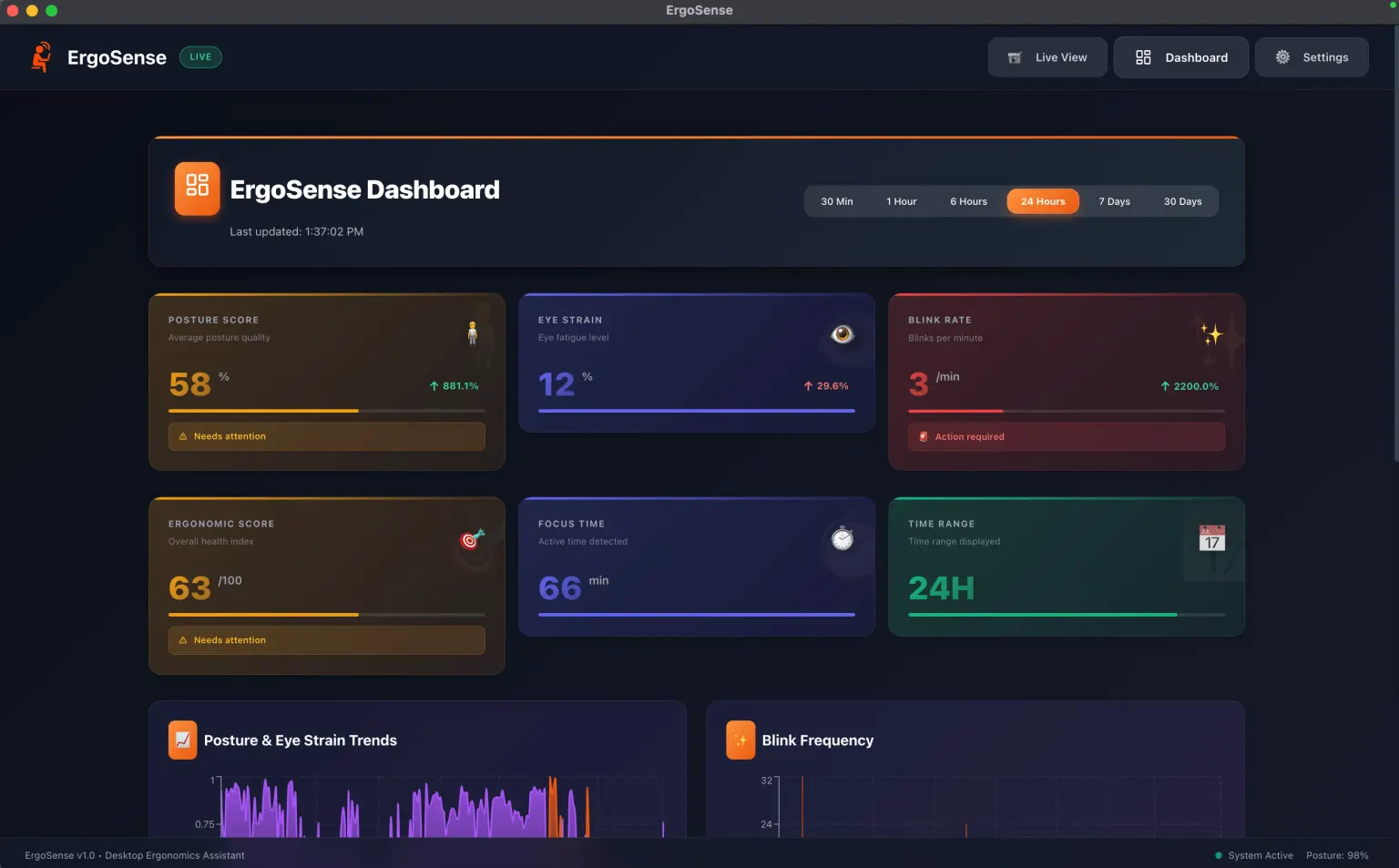
AI-Powered Analysis
Smart detection of slouching and leaning
100% Local Processing
No video ever leaves your device
Insightful Dashboard
Ergonomic score 0-100 with trends
Gentle Nudges
Non-intrusive alerts only when needed
Four things it watches, all at once
Posture, blink rate, screen distance and focus time — scored continuously, on your own CPU
Real-Time Posture Monitoring
Smart slouch detection with gentle nudges. Uses computer vision to detect when you slouch or lean too close to the screen, sending subtle notifications only when poor posture is sustained.
- Intelligent spine tracking
- 5-minute rolling averages
- Non-intrusive alerts
From download to first nudge
Five steps, one calibration, and then you can forget it is running
Install & Launch
Download the lightweight app and open it
Calibrate
Sit comfortably and let ErgoSense learn your neutral spine position
Work Normally
The app runs in the background, analyzing video frames locally
Get Notified
Receive non-intrusive alerts when you need to adjust posture or take a break
Review Progress
Check your dashboard at the end of the day to see your stats
Runs on the machine you already have
v2.2.4- Platforms
- macOS 12+, Windows 10+, Linux
- Processor
- x64 · Apple Silicon on Mac
- Camera
- Built-in or USB webcam
- Memory
- 4GB RAM (8GB recommended)
- Disk
- 1 GB free
The questions people actually ask
Privacy, cost, and what happens to your camera feed
Yes. ErgoSense is 100% free to use, forever. It was built by a solo developer to help people improve their health while working at their desks. There are no hidden fees, subscriptions, premium tiers, or in-app purchases.
Absolutely. All AI processing happens locally on your device. No video, images, or personal data is ever recorded, stored, or sent to the cloud. Your webcam feed is processed in real-time and immediately discarded. Your privacy is guaranteed by design.
ErgoSense processes your camera feed locally to analyze posture and eye health — this data never leaves your device. The only external data collection is anonymous error reports (crash logs, app version, operating system version) to help fix bugs. No personal or health data is ever transmitted.
ErgoSense monitors four key health metrics: Posture Quality (shoulder alignment, head position, spinal curvature), Eye Strain (fatigue indicators, focus patterns), Blink Rate (frequency tracking with healthy range alerts), and Focus Time (productive session tracking).
ErgoSense runs on macOS 12.0 (Monterey) or later, Windows 10 or later, and most modern Linux distributions. The macOS build is Apple Silicon only; Windows and Linux builds are x64. You need a built-in or USB webcam, 4GB of RAM, and about 1GB of free disk space.
The 20-20-20 rule is a widely recommended technique to reduce eye strain: every 20 minutes, look at something 20 feet away for 20 seconds. ErgoSense has built-in customizable reminders to help you follow this rule automatically.
No. ErgoSense is optimized to use minimal CPU and memory, typically staying under 5% CPU usage. It runs efficiently in the background and sits quietly in your menu bar or system tray. Most users report no noticeable impact on system performance.
Yes. ErgoSense is available for macOS, Windows, and Linux. The download page automatically detects your operating system and serves the right installer — a .dmg for macOS, an .exe for Windows, and .AppImage, .deb, or .rpm packages for Linux.
Send your feedback, bug reports, or feature requests to [email protected], or open an issue on the GitHub repository. Your input directly shapes what gets built next.
Still have questions? ErgoSense is built by one person — email me and you will get a reply from the developer, not a support queue.
Contact MeEarly feedback
ErgoSense is new and built in the open. Here is what the first people using it daily told us.
"ErgoSense saved my back. I didn't realize how much I slouched until I saw the data. Now, good posture is a habit."
Saroj Paudyal
Senior Developer
"Finally, an app that helps me without spying on me. The local processing is a game-changer."
Adarsha Regmi
AI Engineer
"The 20-20-20 reminders have significantly reduced my eye strain. I can work longer without fatigue or headaches."
Sabin Neupane
Data Scientist